Blender for 3D Printing from Zero
Learn how to create artistic and functional 3D models using Blender, a powerful and free 3D design program. This beginner course introduces the tools and techniques needed to design artistic 3D models for 3D printing.
- No 3D modeling experience required
- Free instruction and course materials
- Optional 3D print available for approximately $5
- Bring your own laptop; limited lab computers are available
- Course length: Approximately 3 to 5 hours
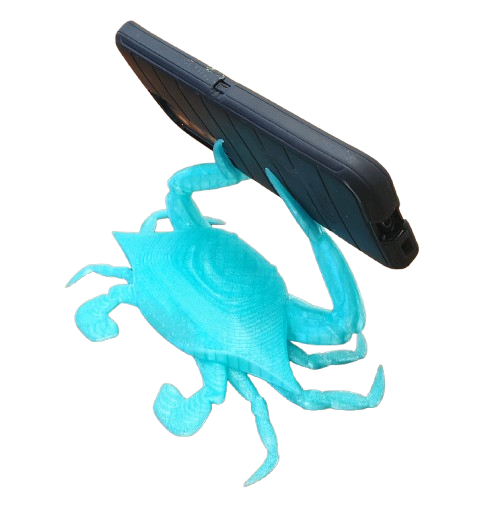
The Course Project
Follow an idea from nature to a finished print
Study an image reference of a blue crab, build an original model with Blender’s artistic tools, and prepare the design for 3D printing. The finished crab uses raised claws to support a phone. A smaller version can become a letter or card holder.
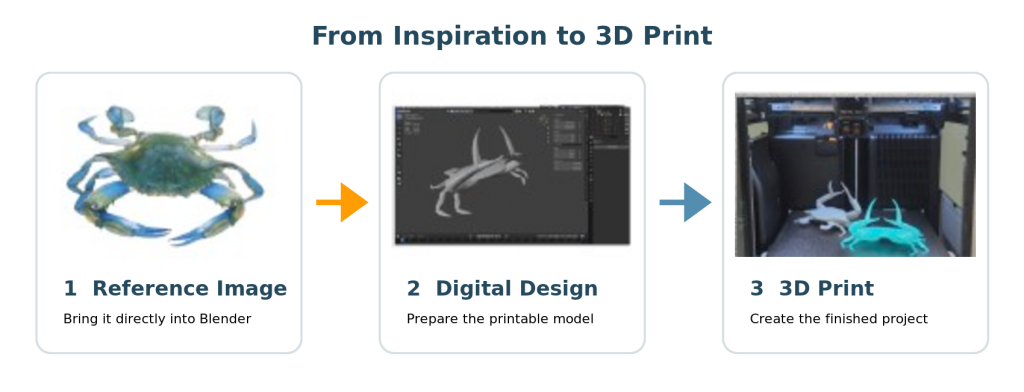
Blue crab photograph: “Full-size blue-crab” by vastateparksstaff, licensed under CC BY 2.0. Image cropped and background removed.

What you will learn
Build a practical foundation in Blender
Blender reference sheets are provided and used throughout the course.
01
Navigate and set up
Install Blender, understand the interface, move through a 3D scene, and prepare accurate project settings.
02
Shape geometry
Add and edit points, edges, faces, loops, and basic forms using proportional editing and X-ray mode.
03
Work efficiently
Use Mirror, Array, Boolean, Bevel, Subdivision, and Solidify modifiers to reduce repetitive work.
04
Prepare to print
Measure a real phone, account for scale and tolerance, combine the model, and export a printable STL file.
WHO SHOULD ATTEND
New to 3D modeling is okay
No experience with Blender, CAD, or 3D printing is required. Participants should be comfortable using a computer and navigating desktop applications.
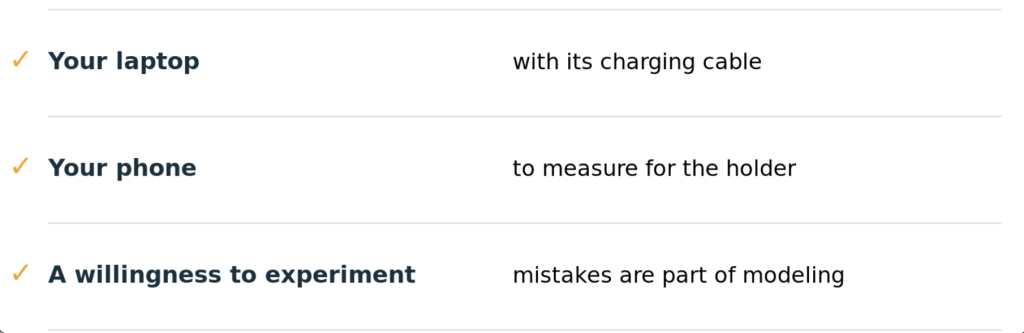
Bring a laptop and charging cable. Three lab computers are available if needed.
WHY BLENDER
Artistic freedom with precise control
Blender is free and especially useful for organic shapes that can be difficult to create in traditional CAD programs. It also supports precise geometry for functional 3D-printing projects.
The learning curve takes patience, but the course gives participants a clear starting point for continued practice.
Before class
Before class What to bring
Additional class dates will be announced soon!
Interested in attending a class? Advance registration is required. Please complete the form below to register for an upcoming 3D printing class.
If you would like more information or have questions before registering, please email us at info@amas4gm.ai
*Course length: Approximately 3 to 5 hours*
Wednesday, September 30
at 11:00 am
Saturday, October 10
at 1:00 pm
Tuesday, October 6
at 5:00 pm