7247 Young St, Machipongo, VA 23405

4GM / BEGINNER COURSE

Intro to 3D Printing with TinkerCAD

Start with an idea. Build it in 3D. Learn how to turn your design into a small printed house you can take home.

Beginner-friendly | Hands-on design | Free online software

CREATE SOMETHING OF YOUR OWN

Your first 3D design starts here.

This introductory course teaches the basics of TinkerCAD, a free online 3D design app. You’ll get comfortable with its tools while building a miniature house, then learn how to export your model and prepare it for printing.

DIFFICULTY

Easy / Beginner

SOFTWARE

TinkerCAD

BRING WITH YOU

Laptop + flash drive

FROM THE FIRST CLICK TO THE FINAL FILE

What you’ll learn

01

Get started

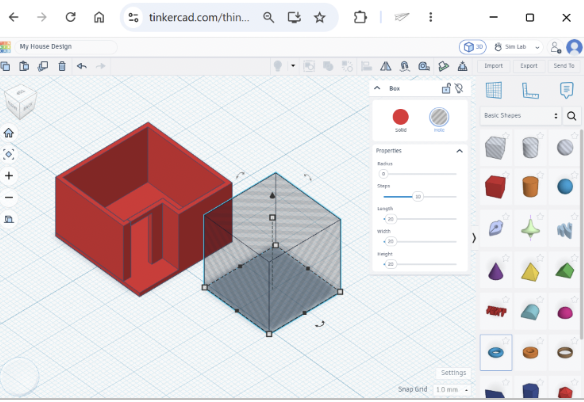
Create your TinkerCAD account and explore the workplane. Practice rotating, panning, and zooming to see your model from every angle.

02

Build with shapes

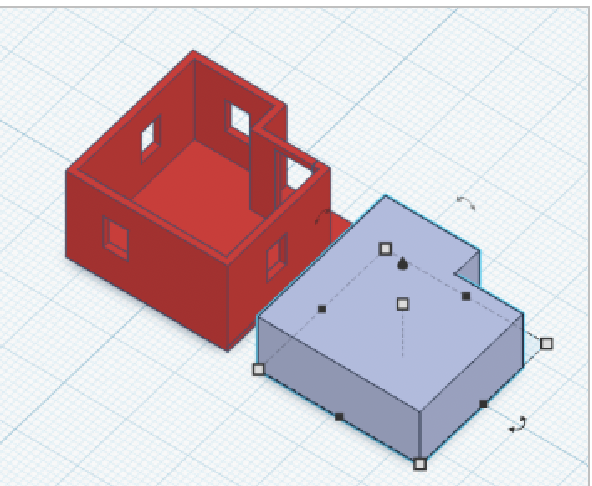
Move and resize objects, draw sketches, and turn flat outlines into 3D walls. Use measurements to shape your house.

03

Add the details

Group parts together and use hole shapes to make windows. Create a removable roof and add your own furniture.

04

Prepare to print

Learn why fit and tolerance matter, export an STL file, and get a brief introduction to slicing and 3D printing.
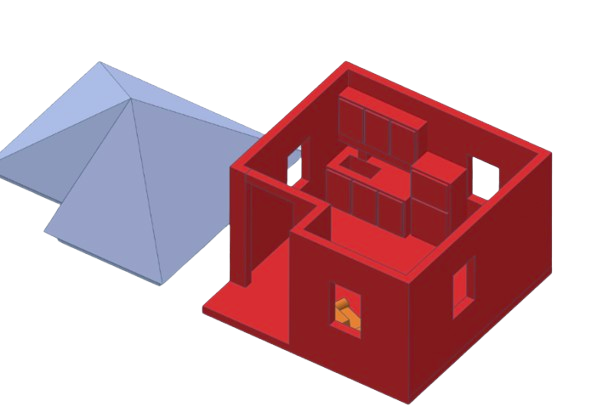
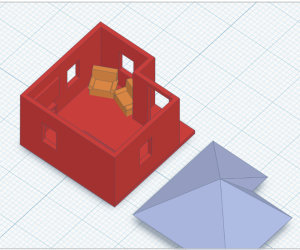
Design your own miniature house.

Build the base and walls, cut out windows, and make a roof that fits. Then make it yours with furniture and details inside.

You’ll learn each tool as you use it, so your design grows along with your skills.

Shape the walls

Use solid and hole shapes to create doors and windows.

Make the pieces fit

Explore printing tolerance with a removable roof.

BEFORE YOU COME

Bring your curiosity.
And these two things.

Bring a laptop for working in TinkerCAD and a flash drive to save your STL file for the Print Lab.

01
Laptop

02
Flash drive

Visit TinkerCad

FROM SCREEN TO SOMETHING REAL

Take your creation home.

At the end of the course, you may be able to print your small house in the Print Lab. Printing takes about 30 minutes.

You may have the option to wait for it to finish or pick it up later.

Sign Up for the Course

Ready to create your own 3D design? Complete the form below to register for Intro to 3D Printing with TinkerCAD. Please check the course dates below before signing up.

Remember to bring a laptop and a flash drive. —if available.

Friday, October 16

at 4:00 pm

Monday, October 19

at 9:00 am

Tuesday, October 27

at 4:00 pm

Monday, September 2

at 9:00 am

Friday, September 20

at 4:00 pm